




Carousel posts have become an extremely popular format on Instagram. Aside from Reels, carousels are the second most popular. They provide a higher level of engagement and are able to tell a story to your followers in an interactive way. But what exactly is an Instagram carousel post? What are the steps to create a carousel and how to make these posts receive better engagement? We’ll tell you in this article.
What is an Instagram Carousel?
An Instagram carousel is an excellent way to present multiple images or videos in a single sliding post. The Instagram carousel was introduced in 2017 and seven years later it is still an ideal functionality to tell a more complete story, show a series of products, or share detailed information. The Instagram carousel generates a large number of clicks, likes, comments, and saves, which is a point in its favor for brands and content creators to start publishing in carousel.
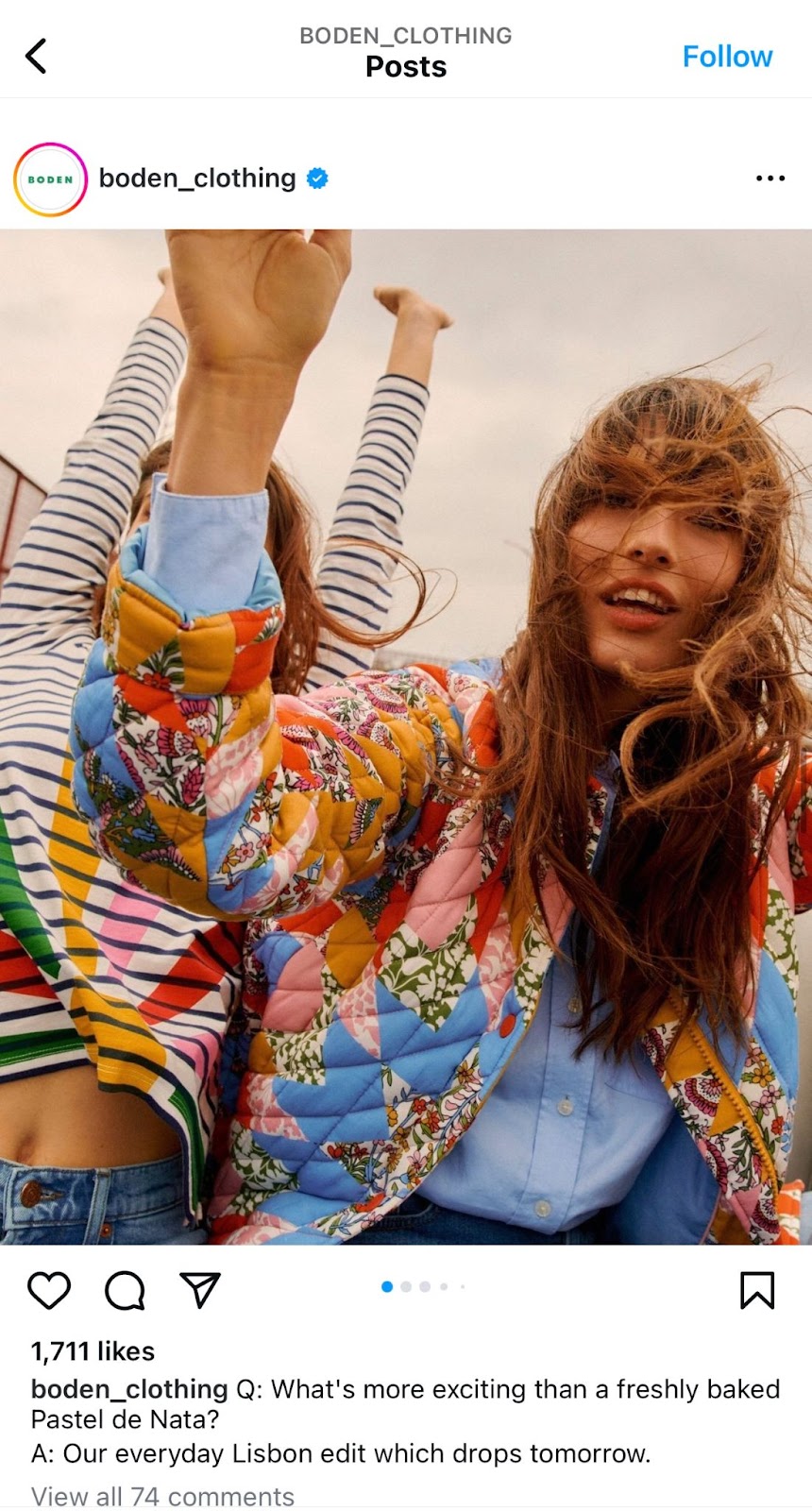
The Instagram carousel allows you to share up to 10 images or videos in a single post – mostly in square format as opposed to vertical video-. By sliding, users can explore the additional content, that is, not just an individual post. Followers recognize the carousel format by the horizontal dots at the bottom of the post. This indicates the number of images the carousel has. An Instagram carousel allows you to add text, hashtags, and tags, creating a complete opportunity for content creators to express their creativity or share detailed information.
What is an Instagram Carousel for?
As we have seen, an Instagram carousel is ideal for offering a more immersive experience to the user and sharing detailed information without the need to share multiple individual posts. In this sense, it helps brands and influencers to increase audience participation and viewing time
Other advantages of publishing content in carousel format on Instagram are:
- Greater interaction: carousels invite followers to interact more with the post, increasing viewing time and engagement.
- Content versatility: you can combine photos and videos in the same post, that is, in a single carousel on Instagram.
- Space optimization: instead of multiple posts, you can group everything into one.
- Branding opportunities: you can showcase products, share testimonials, or highlight features of a brand visually.
- Presentation of complete stories: show a sequence of images or videos to tell a story or present information step by step.
Steps to Create a Carousel on Instagram
The carousel format on Instagram is a powerful tool to capture the attention of users. As we have already seen, creating this type of publication is an excellent way to connect with the audience through multiple photos or videos. Below we explain 6 brief steps with different tips to prepare and start publishing a carousel on Instagram.
Step 1: Prepare the Images
Before you start, make sure you have all the images or videos ready in a folder on your mobile or computer. This will make the process faster and more organized.
It is important to know the standard Instagram sizes and choose the one that best suits your content. These are the main ones that, in addition, will prevent your photos or videos from being cut when uploading them:
- Square image or photo: 1080 x 1080 pixels.
- Horizontal image or photo: 1080 x 556 pixels.
- Vertical image or photo: 1080 x 1350 pixels.
Step 2: Create a New Post
Open Instagram on your mobile or computer and click on the + icon and then select “Post” in the options that appear. The next step is crucial to be able to upload more than one image or video in a single post.
Step 3: Select the Carousel Icon
In the section to create a new post, find and select the carousel icon (it looks like a stack of photos). You can automatically adjust the margin so that everything looks perfect if your photos are vertical. To prevent them from being cut off, remember to click on the two arrows icon in the main image.

Step 4: Upload the Images You Select
Select the photos that you already have ready for the carousel. Remember that it supports a maximum of 10 images. As you select them, the order in which they will appear will be assigned. Choose which ones you want to be displayed first and keep in mind that once the publication has been made, it cannot be modified.
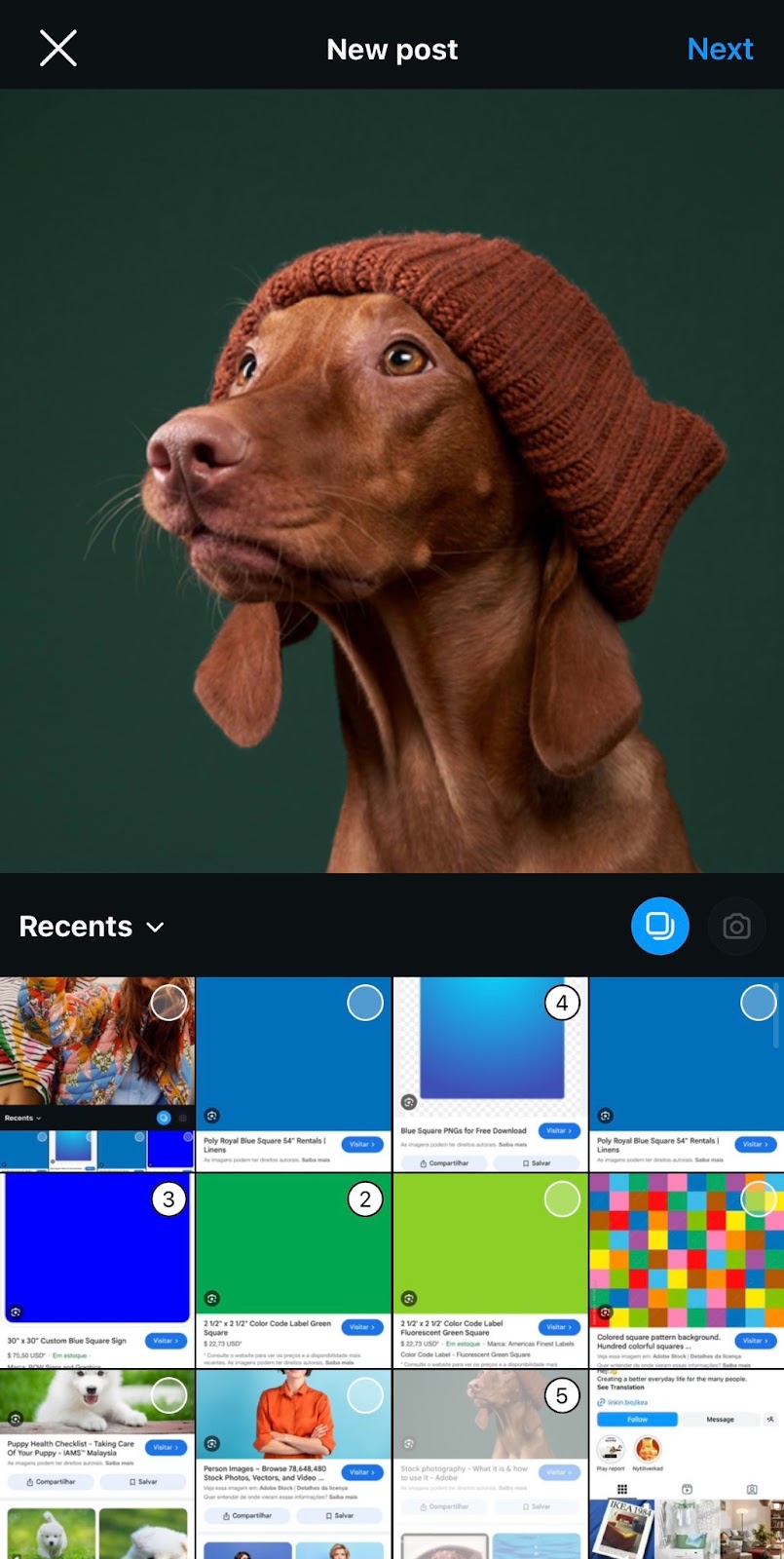
A tip, if you make a mistake in the order of images, simply click on the images to unmark them and start again.
Step 5: Add the Details that the Post Needs
After organizing your images, click on the blue arrow in the upper right corner to advance to the filter step. Using filters is optional; you can also edit your photos with other tools before uploading them.
The next step will be to write the text that will accompany your carousel. In addition, you can add and tag people, put relevant hashtags or the location of the image, in the same way as with other Instagram posts.
Step 6: Publish the Carousel
Once you have verified that everything is ready, click on “Publish” to make it appear in your feed. Do not forget that after the publication you can edit details such as the text or hashtags. However, and as we explained above, the order of the images in the carousel cannot be modified.
And that’s it, creating a carousel on Instagram is that easy!
3 Examples of Successful Instagram Carousels
As inspiration, we show you three examples of carousels from large brands that will help you improve your next posts:
Adidas Originals
Adidas is a prominent example of success in the use of Instagram carousels due to its ability to tell stories visually and showcase products attractively, in addition to collaborations with athletes and celebrities. Their Instagram carousels also reflect the brand’s values, generating a high level of engagement and connecting with their global audience.
Rare Beauty
Rare Beauty is an excellent example of the use of carousels on Instagram, as it leverages the connection with its founder, the influential Selena Gomez, one of the most followed women on Instagram in the world. The brand showcases its products in detail, shares makeup tutorials, and highlights values of inclusion and authenticity, aligned with its image. Each carousel on Instagram that it publishes highlights the quality of the products while strengthening the relationship with its followers. It also makes posts with UGC content and through influencer marketing techniques.
IKEA
The IKEA company also commonly uses carousels on Instagram. Through them, it shows products in real environments, offers decoration ideas and solutions for the home. Instagram carousels allow IKEA to present different aspects of a room or several possible configurations in a single post. This helps customers visualize how they could use the products in their own spaces. This strategy strengthens the connection with the brand and inspires its followers to closely follow the posts it makes on the platform.
Tips to Improve your Instagram Carousel Strategy
These are some of the tips you can apply to boost your strategy when publishing a carousel on Instagram.
- Importance of the last image: take advantage of the last image of the carousel to remind them to comment, save, and like the post.
- Uniform visual style: to make it visually pleasing to the eye and strengthen the brand identity.
- Connect each image with the next: make sure that each photo or video connects logically with the next to create a narrative thread.
- Clear and consistent message: ideally each image or video should have a central message or theme, such as the “summary of the week” or a trip.
- Distribute the information: try to use all the slides instead of concentrating the information in a single one. This will make the user continue sliding through the images.
- Publish UGC content: user-generated content is an excellent technique to share what your followers publish about your products or services and increase the authenticity of your brand.
- Use calls to action (CTAs): to encourage followers to take concrete actions such as continuing to slide to the last post or encouraging engagement.
- Use statistics: the detailed analysis of carousel statistics helps to check which ones have been more attractive to your followers, allowing you to adjust the content strategy.
In summary, Instagram carousels are a great tool for creating content for brands, influencers, and content creators. They help generate value and achieve an increase in engagement and interaction with the audience. In addition, they do not require as much preparation or elaboration compared to other formats such as reels.
As an Instagram expert agency from 2btube, we help brands boost their social media strategy, create original content, and combine publications with different techniques such as paid media or collaborations with influencers.
If you are looking to improve the reach of your content on Instagram or launch a global social media strategy, contact our team and we will advise you without obligation!