




Did you know that most Pinterest users use the platform to get inspired and search for products, and that many end up buying what they find?
With more than 400 million monthly active users, Pinterest is a powerful tool for brands. As a visual search engine, Pinterest allows users to discover and plan their interests, making Pinterest Ads an ideal option to increase your brand’s visibility. In this article, we’ll show you how to get started with Pinterest Ads to maximize your presence on the platform and capture consumers as they get inspired. Keep reading to find out more.
What is Pinterest Ads and What is it for?
Pinterest is a social network focused on collecting ideas around users’ interests. The audience uses Pinterest to discover and find various new topics or brands. The most common include decoration, recipes, inspiration, fashion and much more. Users use the platform both to save ideas from images or videos that interest them, and to search for related content through keywords. Pinterest Ads are a form of advertising on the platform that allows you to use this social network to launch promotional content and capture the attention of a target audience. Given Pinterest’s unique approach, the performance of its advertising may resemble that of other search engines such as Google Paid Search.
Types of Ads in Pinterest Ads
Below we tell you everything you need to know about ad formats on Pinterest: from choosing the right type of ad to creating your first Pinterest Ads. To do this, we explain the different types of ads on the platform and their characteristics to help you carry out effective campaigns that differentiate your brand.
Video Ads
Impact your audience with a format in which you can choose the standard video (such as vertical) or the maximum width video. The maximum width video has a size that occupies two columns in mobile format. Both have a file type and file size of .mp4, .mov or .m4v and up to 2GB; with a duration of minimum 4 seconds and maximum 15 minutes.
Standard
Present your products and content in a simple vertical or square image format. Using this standard ad method, the file type (only PNG or JPEG) and the maximum file size (20MB) must be taken into account. The image is accompanied by a title of a maximum of 100 characters and the description can be up to 400 characters. Although in the feed or on the search wall users cannot see the ad description.
Create a Carousel of Pins
Putting several images to slide in a single ad is a good way to present or advertise several products or the different characteristics of a service or product. A carousel of pins is taught in the user’s feed as any Pin. Although users can click on the carousel of pins and enter directly to the different destination pages that are linked.
Idea Ads
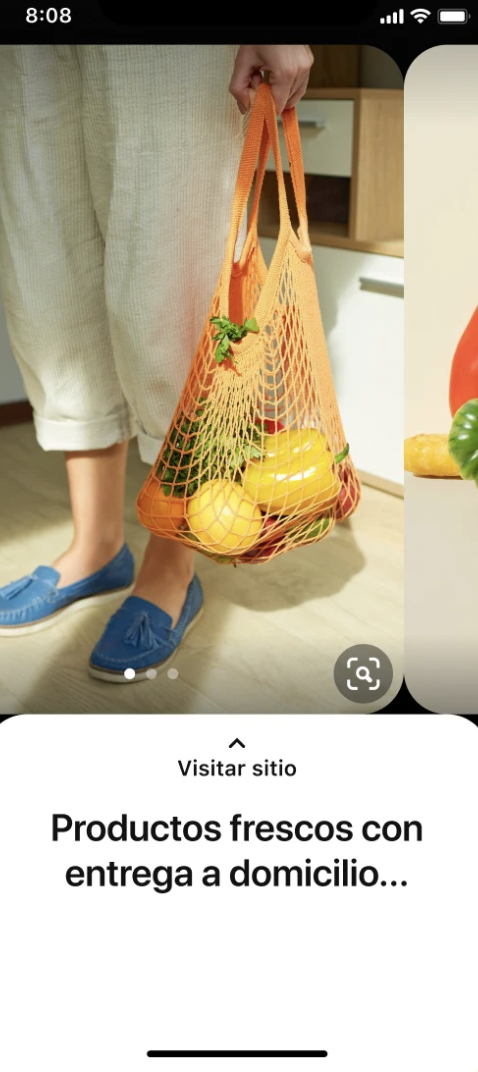
Bring your brand to life with an attractive multimedia narrative format that inspires your audience. Idea Ads give users the option to follow your account, visit the URL, or save the Pin. This type of ad can be created by companies or content creators, but only company profiles can use an Idea Pin and turn it into Idea Ads to promote them.
Collections Ads
Show your products in action with a hybrid format that combines images and videos of the lifestyle theme. A collections ad is a format that can only be created from the computer, but must be directed towards users of the Pinterest application on mobile devices. You can create a manually customized ad or create one automatically from custom collections with a catalog.
Shopping
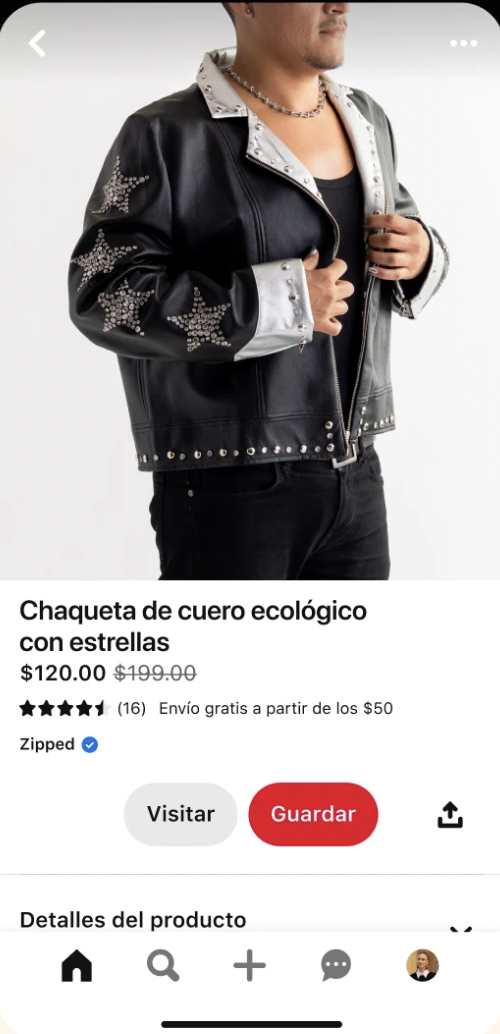
Choosing the shopping ad will help your products or services reach more people. The format of the product pins helps Pinterest users visualize accurate and relevant information about the purchases they can make online. You can even use mobile deep links to take buyers from an ad directly to your native application. Just as you can show some products with labels such as “popular” or “best seller”.
Ads for Lead Generation
Lead generation ads help reach people who are actively looking for your products and services. In this way, users can reach what you promote without having to leave the Pinterest application or website.
Ads with Questionnaire
If you choose to use the ads with questionnaire you should know that they are only available on mobile devices. The ads with questionnaire include three main parts so that Pinterest users can see your ad when they browse, search or save Pins. These questionnaires include frequently asked questions; a title with a call to action and answers in which the user receives a recommendation or a result from the advertiser based on their choices.
Premiere Spotlight
With this type of high-impact ads, brands can take over premium locations on the platform. With Premiere Spotlight, the ad is configured during the selected period to promote high-visibility campaigns among users. This type of ads occupy a significant space on the Pinterest search page: 50% of a screen of a mobile device.
Showcase Ads
On Pinterest, Showcase Ads are designed to capture the attention of users through multiple cards with interactive features. They can touch interactive elements, slide through the different cards and follow several external links to obtain more information. These ads allow you to tell the story of a brand, share content and promote products in a visually attractive way.
Pin Promotion
An advertising Pin is used only in ads and is not available to the general public. These Pins are ideal for advertisers who have temporary content, meet specific legal requirements or prefer that their content be seen only by a certain audience. The exclusively advertising Pins are automatically saved in a protected board in the advertiser’s profile. Within this, the Pins can be organized into different sections, but it is not possible to move them outside of it.
What Can be Achieved with Pinterest Ads?
Pinterest Ads, like other ad platforms such as Twitter Ads or TikTok Ads, offers certain objectives focused on increasing the visibility of brands and that these can achieve their purpose.
Below we explain what can be achieved through these ads:
- Increase online sales: drive actions such as online sales, registrations and subscriptions.
- Lead generation: increase the amount of purchases in physical or online stores.
- Drive web traffic: get more traffic to the content.
- Increase the community: reach your potential customers with segmentation tools such as demographics, interests, automatic segmentation, keywords, customer lists, and actalikes. The actalikes serve to segment the Pinterest audience based on the information of your customers and the behavior of users on the platform.
- Brand recognition: grow the reach and branding of your brand or direct attention to a specific product.
Steps to Create Pinterest Ads
Make yourself present from the first moment in which Pinterest users actively search for images as a source of inspiration. To reach new audiences or to promote the sale of your products you can use Pinterest Ads in your favor; especially if you take into account that it is a platform with great popularity among all age groups and especially generation Z that represents 42% of the global Pinterest user base.
In addition, it is a social network in which it is easy to find information about brands and products and even acquire them from the platform in a similar way to TikTok Shop.
Below we tell you in 8 steps how you can start using Pinterest Ads from your profile.
Step 1: Create your Pinterest Ads Profile
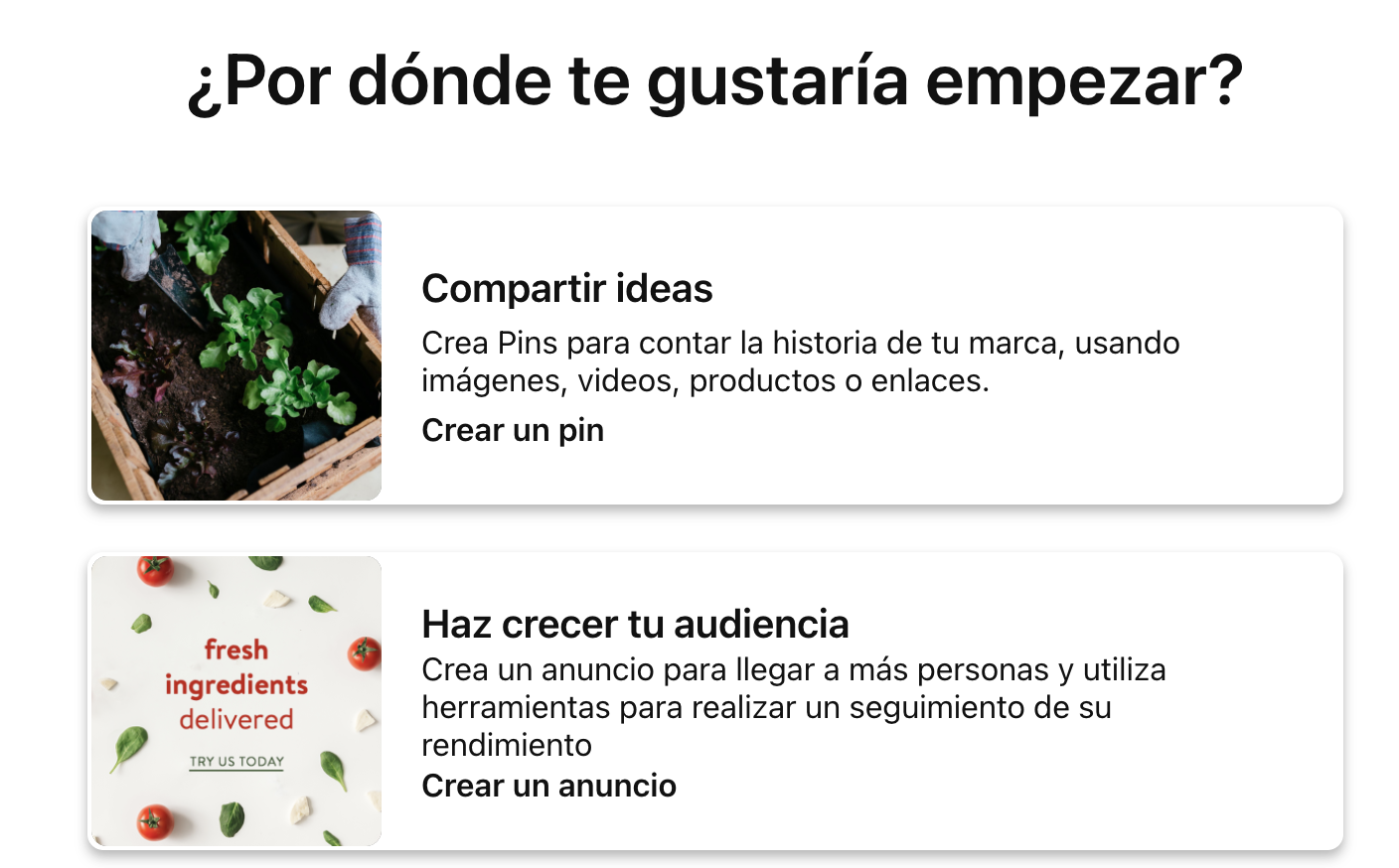
If you do not have an account yet, the first thing you will have to do is create a profile in Pinterest Ads. To do this, go to the website of the platform, click on “register” and enter the data that is requested: email, password, date of birth, etc.
Once you have registered you must answer a few simple questions about your company profile, your objectives and the ads in which you have the greatest interest. In this way, Pinterest can help you personalize them and better achieve your objectives.
Step 2: Create an Ad Campaign
Once you have finished creating your profile, the next thing you will have to do is go to your profile picture to open the tab where you will find all the Pins of your profile. You can only promote Pins that you have published in the Pinterest profile of your brand. From there you can select “Create ad”.
Step 3: Select the Pin to Promote It
Find the Pin you want to use as an ad, hover over it and click on Promote, in the upper right corner of the Pin. The Promote button will only appear on Pins that meet the requirements for an advertising campaign.
Step 4: Add URLs to your Pins
Check the destination URL to make sure that the Pin links to the page to which you want to direct traffic and add any URL parameters to your destination URL to track the origin of the traffic you receive.
Step 5: Set a Daily Budget for your Ad.
In this step you can select the maximum amount you are willing to invest in the campaign. In no case will you pay more than the amount you have indicated as the maximum bid. Pinterest will give you an estimate of the range in which the amount of the bid must be so that the campaign you want to promote has sufficient reach.
Step 6: Choose the Duration of your Campaign
The next step will be to select the date range in which you want to have your ads running. To do this, be sure to check the box next to Run continuously or enter a certain amount of days below Duration (days).
Step 7: Define the Segmentation for the Campaign
You have to define the audience to which you want the ads created to reach. Check the box next to Reach more users or Limit your audience. If you choose Limit your audience, you must do the following: select Automatic interests, All ages, All genders or 21 or more to better segment the ad or mark them to choose specific categories.
Step 8: Promote your Ad
Click on Promote to finish creating the ad. Before being published, Pinterest will review whether it complies with its advertising guidelines within a period of up to 24 hours. Once it has been approved and disseminated, it will be necessary to monitor the campaign through the Ad Manager and, specifically, in the metrics area.
You can also see what elements there are to improve the strategy of your ads. In fact, Pinterest Ads has a statistics section where you can analyze the different parameters that will help you optimize your creatives and campaigns.
Boost your Strategy in Pinterest Ads
As we have seen, Pinterest Ads is an effective advertising platform that offers numerous advantages for brands and marketing professionals. Taking advantage of the advantages of Pinterest Ads, such as expanding reach, increasing visibility, analyzing performance, driving traffic or generating leads and conversions, can help you achieve your objectives effectively.
In short, do not miss the possibilities offered by this platform and consider including Pinterest Ads in your marketing strategy.
If you want to start boosting the visibility and reach of your brand on this platform, an effective option is to collaborate with a specialized agency. At 2btube we help companies integrate the latest data-based technologies and make the most of the available digital channels. In addition, we offer support in the creation of paid media and influencer marketing strategies, so that your brand can connect with its target audience.
If you want to know more, get in contact with us and discover how we can help you!